






💡 Key Takeaways
- Most wireless XLR transmitter problems are caused by setup or configuration rather than hardware failure.
- Phantom power configuration is one of the most common reasons condenser microphones produce no audio.
- Proper gain staging improves both recording level and signal-to-noise ratio.
- RF dropouts are often caused by frequency congestion, body blocking, or poor antenna placement rather than defective equipment.
- A simple pre-shoot checklist can prevent the majority of field recording failures.
A wireless XLR transmitter—also known as a plug-on transmitter—eliminates long XLR cable runs while allowing professional microphones to transmit audio wirelessly. It gives filmmakers, broadcasters, ENG crews, and event production teams greater mobility without sacrificing professional sound quality.
However, even the most reliable wireless XLR systems can occasionally develop problems. No audio, weak output, RF dropouts, excessive background noise, fast battery drain, or microphone compatibility issues are among the most common complaints reported by professionals in the field.
The good news is that these issues rarely indicate hardware failure. In real-world productions, most wireless XLR transmitter problems are caused by incorrect configuration, microphone powering, gain staging, RF planning, or simple setup mistakes that can usually be corrected in just a few minutes.
This guide explains the seven most common wireless XLR transmitter problems, why they happen, how to diagnose them efficiently, and the practical troubleshooting techniques professionals use to restore reliable operation before or during a recording session.

Why Do Most Wireless XLR Transmitter Problems Have Simple Causes?
A wireless XLR transmitter works by converting the analog output of a professional microphone into a wireless RF transmission that can be received, decoded, and recorded without using a physical XLR cable. Because multiple systems must work together—including microphone power, RF communication, receiver configuration, recorder settings, and battery management—a single incorrect setting can interrupt the entire signal chain.
Unlike consumer Bluetooth devices, professional wireless audio systems expect users to configure important parameters manually. When comparing a plug-on vs bodypack transmitter, plug-on models interface directly with a wider variety of microphone capsules, meaning they do not automatically determine whether a microphone requires phantom power, whether the connected device expects microphone-level or line-level audio, or whether the current RF environment contains interference. Understanding these individual components makes troubleshooting much faster.
Fortunately, most field failures fall into just four categories.
| Category | Typical Problems | Real-World Symptoms |
|---|---|---|
| Power | Phantom power disabled, low battery, incorrect power mode | No audio, unexpected shutdowns |
| Configuration | Incorrect gain, muted receiver, Mic/Line mismatch | Low volume, distortion, excessive hiss |
| Compatibility | Unsupported microphone powering requirements | Microphone fails to operate correctly |
| RF Environment | Frequency congestion, poor antenna placement, body blocking | Dropouts, unstable connection, limited operating range |
What Do Different Symptoms Usually Mean?
Many wireless XLR transmitter failures produce recognizable symptoms. Identifying the symptom first is often faster than guessing which setting may be wrong.
| If You Notice... | Most Likely Cause | Check First |
|---|---|---|
| No audio | Phantom power or connection problem | Microphone power setting and XLR lock |
| Very low output | Incorrect gain or Mic/Line mismatch | Input gain and output mode |
| Audio cuts in and out | RF interference or body blocking | Frequency scan and antenna placement |
| Constant background hiss | Poor gain staging | Transmitter gain before recorder gain |
| Battery drains quickly | Continuous phantom power usage | Microphone power requirements |
| Shotgun microphone won't work | Power compatibility issue | Microphone specifications |
| Works indoors but not outdoors | RF propagation differences | Line of sight and frequency planning |
In the following sections, we'll examine each of these problems in detail, explain why they happen, and walk through the fastest ways to diagnose and resolve them in the field.

1. Why Does My Plug-On Transmitter Have RF Signal but No Audio?
A wireless XLR transmitter that shows a stable RF connection but produces no audio usually indicates that the wireless link is functioning correctly while the microphone signal is failing to reach the transmitter's input stage.
Symptoms
- The receiver displays a strong RF signal.
- No audio meter activity appears on the receiver or recorder.
- The recorder captures complete silence.
- The connection appears normal, but no sound is transmitted.
Why It Happens
RF transmission and audio transmission are two separate parts of the signal chain. A transmitter can successfully communicate with the receiver while receiving no usable signal from the microphone itself. This situation is commonly caused by missing phantom power, an unlocked XLR connection, incorrect input settings, or an incompatible microphone.
How to Diagnose
- Confirm that the receiver shows both RF connection and audio meters.
- Verify that the microphone is fully locked into the XLR connector.
- If you are using a condenser or shotgun microphone, check its specified powering method and confirm that the transmitter is supplying the correct voltage.
- Confirm the transmitter is configured for microphone-level input if applicable.
- Test the transmitter with another known-working microphone.
How to Fix It
Enable phantom power when required, reconnect the microphone until the XLR locking mechanism clicks securely into place, verify the correct input mode, and test the microphone on another device if necessary. In most cases, one of these steps restores audio immediately.
How to Prevent It
Before every recording session, verify phantom power settings, confirm the XLR connector is fully locked, and perform a quick headphone monitoring test before recording begins.
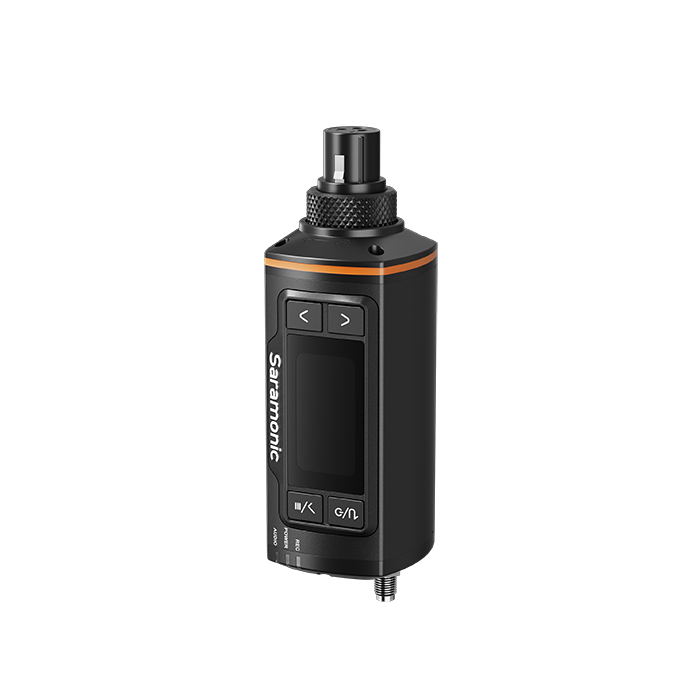
Professional plug-on transmitters may support more than a single phantom-power setting. For example, the Saramonic K9 XTX wireless XLR transmitter provides adaptive 3V, 5V, 12V, 24V, and 48V microphone power, allowing users to match the transmitter more closely to the connected XLR microphone. Even with this flexibility, crews should still verify the microphone’s official power requirements before recording.
Expert Tip
If the RF indicator remains stable but the audio meter never moves, avoid changing RF frequencies first. The wireless connection is already working—the issue almost always exists before the transmitter's RF stage.
2. Why Is My Audio Extremely Quiet?
Very low audio output usually indicates incorrect gain staging rather than a faulty microphone or transmitter.
Symptoms
- Speech sounds extremely quiet.
- You must dramatically increase recorder gain to hear anything.
- Background noise becomes obvious after increasing volume.
- The recording lacks normal signal level.
Why It Happens
Every wireless audio system contains multiple gain stages, including the microphone, transmitter, receiver, and recording device. If the transmitter sends a weak signal, increasing gain later in the signal chain simply amplifies both the desired audio and the existing noise floor.
Another common cause is a Mic/Line mismatch. If the transmitter or receiver is configured for the wrong output level, the connected recording device may receive far less signal than expected.
How to Diagnose
- Check the transmitter's input gain.
- Verify that receiver output matches the recorder's expected input level.
- Observe whether the transmitter's audio meter reaches healthy recording levels during normal speech.
- Compare performance using another microphone if available.
How to Fix It
Increase transmitter gain until normal speech peaks safely without clipping, then adjust receiver output as needed. Whenever possible, establish proper recording level at the transmitter rather than relying on excessive gain from the recorder or camera.
How to Prevent It
Perform gain staging during sound check instead of after recording starts. Setting proper input gain at the beginning reduces background noise and preserves maximum dynamic range.
Expert Tip
A useful rule of thumb is to build signal strength as early as possible in the signal chain. Proper gain staging should prioritize achieving an optimal signal level as early in the chain as the system design allows, while avoiding unnecessary amplification at noisier stages.

3. Why Does My Audio Keep Cutting In and Out?
Intermittent audio dropouts almost always indicate RF transmission problems rather than microphone failure.
Symptoms
- Audio disappears for short periods.
- The receiver's RF indicator fluctuates unexpectedly.
- Dropouts occur only at certain positions or distances.
- The problem becomes worse in crowded wireless environments.
Why It Happens
Unlike analog wireless systems that gradually become noisy as signal quality decreases, digital wireless systems often remain perfectly clean until RF quality falls below the decoding threshold. At that point, audio may disappear suddenly instead of fading gradually.
Dropouts are commonly caused by frequency congestion, excessive operating distance, poor antenna placement, or RF shadowing. RF shadowing occurs when the human body blocks part of the radio path between transmitter and receiver. Because the human body contains a large amount of water, it absorbs radio energy and can noticeably reduce signal strength, particularly when talent turns away from the receiver.
How to Diagnose
- Watch the RF meter while moving around the recording area.
- Determine whether dropouts occur only when the subject changes direction.
- Scan for cleaner frequencies if multiple wireless systems are operating nearby.
- Temporarily reduce operating distance to see whether stability improves.
How to Fix It
Maintain clear line of sight whenever practical, reposition antennas away from large metal objects, perform a fresh frequency scan after arriving at each location, and increase separation from nearby wireless transmitters operating on similar frequencies.
How to Prevent It
Always perform RF coordination before important productions, especially at conferences, concerts, sporting events, or broadcast locations where multiple wireless systems may already be operating.
Equipment design can also make RF coordination more manageable, although it cannot replace proper frequency planning. The Saramonic K9 XTX digital UHF plug-on transmitter operates as part of the K9 professional wireless system, which uses a wide UHF frequency range, GPS-based frequency updates, and automatic frequency scanning to help crews identify suitable operating frequencies in different regions and RF environments.
These features can simplify setup, but users should still rescan after changing locations, maintain clear line of sight, and follow local wireless-frequency regulations.
Expert Tip
If dropouts consistently occur when talent turns their back toward the receiver, body blocking is a far more likely explanation than hardware failure. Simply repositioning the receiver can often improve reliability without changing any settings.

4. Why Is My Battery Draining So Quickly?
Short battery life is usually caused by normal power consumption rather than a defective battery. Features such as phantom power, internal recording, and higher RF transmission power all increase the transmitter's energy demand.
Symptoms
- The transmitter runs for significantly less time than expected.
- Battery level drops rapidly during recording.
- Runtime is noticeably shorter when using certain microphones.
- The transmitter requires charging more frequently than before.
Why It Happens
A wireless XLR transmitter does much more than send audio wirelessly. It also powers microphones, processes digital audio, manages RF transmission, and often supports additional functions such as internal recording or timecode. Each enabled feature consumes additional power.
Among these functions, 48 V phantom power typically has the greatest impact on battery life because the transmitter must continuously generate high-voltage power for condenser microphones. Dynamic microphones, by comparison, require no external power and generally allow longer operating times.
How to Diagnose
- Determine whether phantom power is currently enabled.
- Compare battery runtime with different microphone types.
- Check whether optional features such as internal recording are active.
- Review the manufacturer's expected runtime under similar operating conditions.
How to Fix It
Disable phantom power whenever it is not required, turn off unused recording features, recharge batteries before every production day, and replace aging batteries that no longer deliver normal operating time.
How to Prevent It
Estimate expected battery consumption before each production based on the microphone being used, planned recording duration, and environmental conditions. Carry fully charged spare batteries whenever possible.
Expert Tip
Battery specifications published by manufacturers are usually measured under controlled laboratory conditions. Real-world runtime may be shorter when phantom power, high RF output, or continuous recording features are enabled simultaneously.
5. Why Do I Hear Hiss or Background Noise?
Background hiss is most commonly caused by poor gain staging rather than wireless interference. In many cases, the wireless link is performing normally while unnecessary amplification elsewhere in the signal chain introduces audible noise.
Symptoms
- A constant hiss remains underneath recorded speech.
- The noise becomes louder when recorder or camera gain is increased.
- The RF connection appears stable throughout recording.
- Speech sounds clean but noisy.
Why It Happens
Every recording device introduces a small amount of electronic self-noise. If the transmitter sends a weak signal, the recorder must apply additional amplification to reach usable recording levels. Unfortunately, this also amplifies the recorder's own noise floor.
This situation is especially common when recording directly into cameras, whose built-in microphone preamps often provide less clean amplification than dedicated field recorders or audio interfaces.
How to Diagnose
- Observe whether RF signal remains stable while hiss increases.
- Reduce recorder gain temporarily and increase transmitter gain.
- Compare recordings made through another recorder if available.
- Verify that balanced XLR cables are being used throughout the signal chain.
How to Fix It
Increase input gain at the transmitter until healthy recording levels are reached while keeping recorder gain as low as practical. This approach produces a stronger signal before amplification occurs later in the recording chain.
How to Prevent It
Perform proper gain staging during sound check, monitor recordings through headphones rather than relying only on visual meters, and avoid excessive digital gain adjustments during post-production.
Expert Tip
If the RF signal remains stable while hiss increases together with recorder gain, the wireless system is probably not the problem. Improving gain staging almost always produces cleaner recordings than attempting to reduce noise later in editing.

6. Why Won't My Shotgun Microphone Work?
Not every shotgun microphone uses the same powering method. Compatibility depends on both the microphone's electrical requirements and the capabilities of the wireless XLR transmitter. For an in-depth look at optimal pairing practices, review our guide on matching a plug-on transmitter with a shotgun microphone.
Why It Happens
Professional condenser shotgun microphones typically require 48 V phantom power delivered through the XLR connector to charge their internal capsule. A common issue arises with electret or smaller video shotguns that rely on low-voltage plug-in power (Bias voltage) rather than standard 48 V infrastructure—connecting these via a direct XLR plug-on without a matching adapter will result in total silence.
Certain shotgun microphones also support dual-power operation, allowing them to run either from an internal AA battery or external phantom power. If you enable the transmitter's 48 V line while a decaying, low-voltage battery is left forgotten inside the microphone barrel, the conflicting power paths often cause severe audio distortion or rhythmic "motorboating" noise.
How to Diagnose
- Check the microphone's official power requirements (True Condenser vs. Electret).
- Confirm whether 48 V phantom power is enabled in the transmitter menu.
- Check if the microphone has an internal battery slot and inspect its condition.
- Test the shotgun microphone directly with a wired mixer or recorder to rule out a blown capsule.
How to Fix It
Configure the transmitter according to the microphone's recommended powering method and connector standard. If using a dual-power microphone, follow the manufacturer's guidance regarding internal battery and phantom power operation.
When using a transmitter with selectable microphone-power levels, such as the Saramonic K9 XTX, choose the voltage specified by the microphone manufacturer rather than assuming that every condenser or shotgun microphone should automatically receive 48V.
How to Prevent It
Always verify microphone compatibility before production day instead of assuming every XLR microphone operates identically. Spending a few minutes confirming power requirements can prevent unexpected recording failures on location.
Expert Tip
If a dynamic microphone works correctly but a condenser shotgun microphone remains silent using the same transmitter, phantom power configuration should be your first troubleshooting step.
7. Why Does My Wireless XLR System Work Indoors but Not Outdoors?
Wireless performance often changes dramatically between indoor and outdoor locations because radio waves behave differently in each environment.
Symptoms
- The system performs well during indoor testing.
- Dropouts begin after moving outdoors.
- Operating distance becomes noticeably shorter.
- Signal stability changes as people or vehicles move nearby.
Why It Happens
Indoor environments contain walls, ceilings, and other large surfaces that reflect radio waves. These reflections, known as multipath propagation, can sometimes provide additional signal paths that help maintain communication when the direct path is briefly weakened.
Outdoors, many of these reflections disappear. Wireless performance depends much more heavily on maintaining a clear line of sight between the transmitter and receiver. Large crowds, vehicles, camera equipment, and even the human body can partially block the radio path, reducing available signal strength.
How to Diagnose
- Compare signal stability at different receiver locations.
- Observe whether dropouts occur only when obstacles block line of sight.
- Perform a fresh frequency scan after arriving at the outdoor location.
- Reduce operating distance temporarily to confirm whether signal strength improves.
How to Fix It
Position receiver antennas as high and as unobstructed as practical, maintain clear line of sight whenever possible, minimize unnecessary operating distance, and perform frequency coordination before recording begins.
How to Prevent It
Treat every new outdoor location as a different RF environment. Even if a system performed perfectly at yesterday's venue, changing locations usually requires a new frequency scan and another quick range test.
Expert Tip
Many users assume outdoor environments automatically provide better wireless performance because there are fewer walls. In reality, the absence of reflective surfaces often makes antenna placement and line of sight even more important than they are indoors.

What Are the Most Common Setup Mistakes?
Most wireless XLR transmitter issues do not come from equipment failure but from a small set of repeatable setup mistakes that occur during fast-paced production environments.
Common Mistakes
- Leaving phantom power enabled for all microphones – This unnecessarily increases power consumption and may cause compatibility issues with certain microphones.
- Increasing recorder gain instead of transmitter gain – This amplifies noise rather than improving signal quality.
- Skipping RF frequency scans in new environments – Previously clean frequencies may become congested in different locations.
- Not verifying XLR locking connection – A partially seated connector can result in intermittent or no audio.
- Ignoring headphone monitoring during setup – Relying only on visual meters can delay detection of audio issues.
Before Every Shoot: Wireless XLR Checklist
A structured pre-shoot checklist significantly reduces the risk of wireless audio failures in the field. Most professional sound mixers follow a similar routine before recording begins.
| Check Item | Status |
|---|---|
| Batteries fully charged and spare batteries available | ☐ |
| Phantom power configured correctly for microphone type | ☐ |
| RF frequency scan completed at location | ☐ |
| XLR connector fully locked into transmitter | ☐ |
| Transmitter gain properly set during sound check | ☐ |
| Receiver output matched to recording device input | ☐ |
| Headphone monitoring confirmed clean audio | ☐ |
| Line of sight verified between transmitter and receiver | ☐ |
| Backup microphone or transmitter available if needed | ☐ |
Conclusion
Wireless XLR transmitter issues are rarely caused by hardware failure. In most real-world production scenarios, problems originate from configuration errors, power mismatches, RF environment changes, or incorrect gain staging.
By applying a structured troubleshooting approach—starting with power settings, then checking microphone compatibility, RF conditions, and gain structure—you can resolve most issues within minutes without interrupting production.
More importantly, treating wireless audio as a system rather than a single device helps prevent problems before they occur. A simple pre-shoot checklist, combined with consistent gain staging and RF awareness, is often enough to eliminate the majority of field failures.
This guide is designed to function as a field reference rather than a one-time read. Keeping these principles in mind will improve reliability, reduce downtime, and ensure consistent professional audio performance in any recording environment.
To learn more about the latest news from Saramonic, join in our official social media: Facebook, Youtube, Instagram, X, Facebook Group.
Frequently Asked Questions
Can phantom power damage a microphone?
Properly supplied phantom power is generally safe for compatible condenser microphones and most modern balanced dynamic microphones. However, it may create risks for certain vintage, unbalanced, incorrectly wired, or ribbon microphones. Always check the microphone manufacturer’s specifications before enabling phantom power.
Why does wireless audio sound slightly delayed compared to a cable?
Wireless systems must convert analog audio into digital data, transmit it over RF, and convert it back again. This process introduces a small latency, typically in the range of a few milliseconds, which is generally not noticeable in real-world production.
Why does my wireless XLR system sound quieter than a wired connection?
This is usually caused by incorrect gain staging or mismatched input/output levels between transmitter, receiver, and recording device. Wireless systems do not inherently reduce audio quality when properly configured.
Does humidity or weather affect wireless performance?
Yes, extreme weather conditions can affect RF propagation. Weather conditions have a limited impact on most UHF wireless systems, though higher-frequency bands such as 2.4GHz may experience slightly more attenuation in dense moisture conditions.
How often should I scan for frequencies?
You should perform a frequency scan every time you change physical location or when new wireless systems appear nearby. RF environments can change significantly even within the same venue.
Can I use any XLR microphone with a wireless plug-on transmitter?
No. Compatibility depends on power requirements, connector type, and whether the microphone expects phantom power, plug-in power, or no external power at all.


