


💡 Key Takeaways
- What is latency? Wireless intercom latency (also called wireless intercom delay) is the total end-to-end time from when you speak into the microphone until the other person clearly hears your voice. It includes audio capture, digital processing, wireless transmission, and decoding.
- Acceptable Latency Ranges (2026 Realistic Standards):
- <20–30ms → Basically imperceptible for most people, ideal for film production, live events, and precise synchronization.
- 30–100ms → Good and acceptable for everyday team communication and home use.
- 150ms+ → Noticeable and disruptive, causing overlapping speech or echo-like effects.
- 500ms to several seconds → Severe problem, common in some WiFi video doorbells or heavily congested setups.
- Best Low Latency Technology? 1.9 GHz DECT remains the most stable and predictable option for low latency wireless intercom systems.
- One-Sentence Solution: Prioritize a base station 1.9 GHz DECT system, optimize placement, minimize interference, and keep firmware updated to significantly reduce wireless intercom latency.
What Is Wireless Intercom Latency?
Wireless intercom latency is the total time it takes for an audio signal to travel from microphone capture, through DSP processing and compression, across the wireless link, and finally to the speaker output.
Here are the practical benchmarks based on real-world user feedback and industry performance in 2026:
- <20–30ms: Basically imperceptible for most people — suitable for film, stage, and industrial command scenarios requiring tight synchronization.
- 30–100ms: Good range — feels natural in most daily team and home intercom use.
- 150ms+: Clearly noticeable — conversation flow starts to break with overlaps or echo.
- 500ms+: Severe — often renders the system impractical.
Note that marketing claims of “under 10ms” or “zero latency” usually refer to ideal lab conditions. In real environments, buffers, error correction, and interference inevitably add delay.

Why Does Wireless Intercom Have Delay?
Wireless intercom delay is not caused by a single factor but results from multiple stages in the signal chain.
1. Audio Processing Delay (Codec + DSP)
Once sound enters the microphone, it undergoes analog-to-digital conversion, compression, noise suppression, and echo cancellation. Buffers are added to smooth audio and prevent dropouts, but each buffer contributes to overall latency. Advanced AI noise reduction can improve clarity but may increase processing time.
2. Wireless Transmission & Frequency Interference
The 2.4 GHz band is crowded with WiFi, Bluetooth, and other devices, leading to frequent packet loss and retransmissions that spike latency. In contrast, 1.9 GHz DECT uses a dedicated band with far less interference and employs Time Division Multiple Access (TDMA) to assign fixed time slots, delivering more stable and predictable performance.
3. System Architecture
Mesh / hub-free systems: Signals hop between devices, causing cumulative delay that worsens as user count increases.
Base station (star topology) systems: All devices connect directly to a central base. Contrary to common belief, a well-designed base station often provides more consistent and lower overall latency in multi-user scenarios.
4. Distance, Obstacles, and Signal Retransmission
Distance itself is rarely the main culprit. Weak signals caused by walls, metal, or obstacles lead to packet loss and repeated retransmissions — this retry loop is what dramatically increases wireless intercom delay. Maintaining good line-of-sight significantly helps.

DECT vs 2.4GHz vs WiFi: Which Has the Lowest Latency?
Here is a practical 2026 comparison based on real-world performance:
| Technology | Typical Real-World Latency | Anti-Interference | User Capacity & Stability | Best For |
|---|---|---|---|---|
| 1.9 GHz DECT | typically 30–80ms (highly predictable) | Excellent (dedicated band) | High (especially with base station) | Film production, professional teams, industrial, safety-critical use |
| 2.4 GHz Proprietary | 40–150ms+ (varies with congestion) | moderate but highly environment-dependent | Moderate (degrades at scale) | Budget home use, motorcycle helmets |
| WiFi (2.4/5/6 GHz) | 100–500ms+ (highly variable, depending on network conditions) | Highly network-dependent | Variable (depends on router quality) | Optimized home doorbells, non-critical communication |
| Bluetooth | typically 100–200ms+, lower only with specialized codecs | Moderate | Low | Short-range personal pairing |
Key Insight: DECT does not always win on absolute fastest lab numbers, but it delivers the most stable and predictable low latency in real multi-user and interference-heavy environments. If you want a deeper comparison between DECT and 2.4GHz for wireless intercom systems, check this detailed analysis: DECT vs 2.4GHz: Which is Better for Wireless Intercom Systems. Digital Enhanced Cordless Telecommunications (DECT) is a standard designed for high-quality voice communication. Thanks to its dedicated spectrum, it has long held an advantage in professional wireless intercom applications.

How to Reduce Wireless Intercom Latency
1. Selection Layer
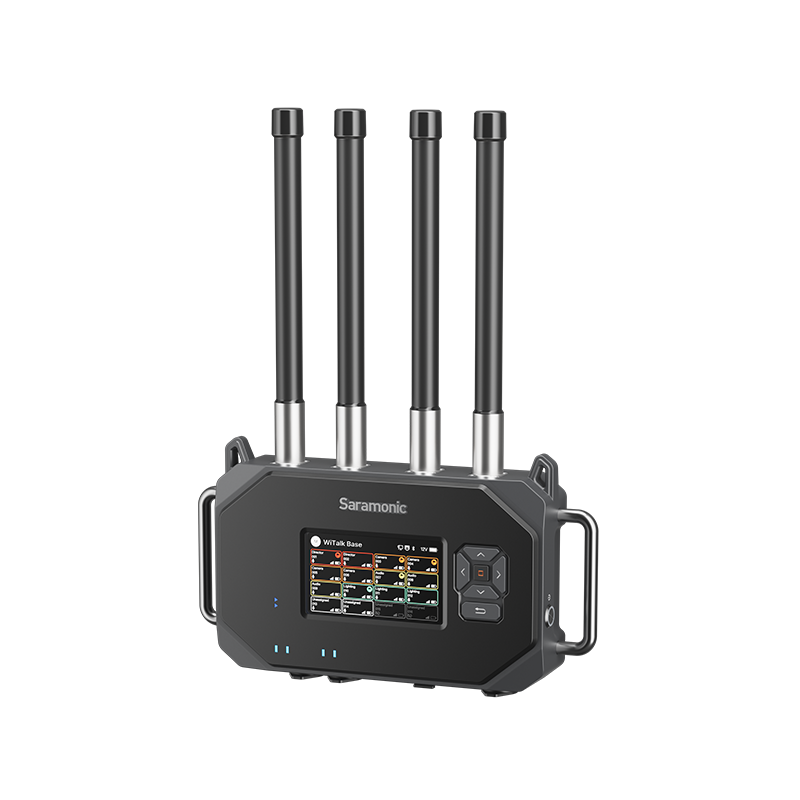
- For critical or professional use, strongly recommend 1.9 GHz DECT base station systems (such as Saramonic WiTalk9 or WiTalk9 X).
- For larger teams, choose architectures that maintain low latency as user count grows and avoid large-scale pure mesh systems. Professional base station solutions like the Saramonic WiTalk Base are designed to handle multi-user communication more reliably while keeping latency stable.
- Focus on real end-to-end latency specs and real-world performance under load rather than “real-time” marketing claims.
To better understand how wireless intercom headset systems work and what to look for when choosing one, read this guide: What is a Wireless Intercom Headset System.
2. Usage & Optimization Layer
- Minimize interference: Keep away from dense 2.4 GHz sources; for WiFi systems, use dedicated 5/6 GHz bands and consider wired backhaul.
- Firmware updates: Manufacturers often improve DSP and latency performance through updates.
- Physical optimization: Elevate the base station, improve line-of-sight, and reduce thick walls or metal obstructions. Use a frequency scanner to find clean channels when available.
- Other tips: Keep system complexity low; use wired + wireless hybrid for critical positions; test with small groups first and scale while monitoring delay.
Quick Troubleshooting Checklist: Test in your actual environment → Adjust placement and channels → Update firmware → Switch to DECT if needed.
If you are looking for the best wireless intercom headsets in 2026, this updated buyer’s guide is worth checking: Best Wireless Intercom Headsets 2026.
Common Myths About Intercom Latency
- Longer distance always means higher latency. The real issue is packet loss and retransmissions caused by signal degradation.
- Base stations always add more delay. In multi-user scenarios, a good base station often improves stability and overall performance.
- “Real-time” or “low latency” means near-zero delay. All wireless systems have some processing and transmission delay; real performance depends heavily on the environment.
- Only transmission delay matters. DSP processing, buffers, and system architecture usually contribute a larger portion.
Conclusion
In 2026, the best wireless intercom latency experience is defined by stability and predictability rather than chasing the absolute lowest millisecond number on a spec sheet. A system with slightly higher but consistent latency in real conditions will outperform one that claims ultra-low numbers but fluctuates wildly. DECT technology continues to lead in professional and reliable communication thanks to its dedicated spectrum, intelligent time-slot management, and excellent interference resistance.
Whether you work in film production, industrial settings, or home use, test systems in your actual environment and apply the selection and optimization tips above. The ultimate goal is to make latency “disappear” from perception and restore natural, efficient communication.
To learn more about the latest news from Saramonic, join in our official social media: Facebook, Youtube, Instagram, X, Facebook Group.
Wireless Intercom Latency FAQ
What is a good latency for a wireless intercom?
A good wireless intercom latency is typically under 30–100ms, where conversations feel natural and uninterrupted. For professional use such as film production or live events, under 20–30ms is considered ideal and nearly imperceptible.
Why does my wireless intercom have a delay?
Wireless intercom delay is usually caused by a combination of factors, including:
- Audio processing (DSP, noise reduction, encoding)
- Wireless transmission and interference (especially 2.4 GHz congestion)
- Network instability (for WiFi-based systems)
- Signal retransmission due to obstacles or weak connection
These delays add up to create noticeable latency.
How can I reduce wireless intercom latency?
To reduce latency, you can:
- Use a DECT (1.9 GHz) intercom system for more stable performance
- Keep devices within line-of-sight of the base station
- Avoid crowded 2.4 GHz environments
- Update firmware regularly
- Reduce the number of active users in mesh systems
These steps can significantly improve real-time communication.
Is wireless intercom delay normal?
Yes, some level of delay is normal in all wireless systems due to processing and transmission. However, if latency exceeds 150ms, it can start to disrupt conversation flow and should be optimized or addressed.
Which wireless intercom has the lowest latency?
In real-world conditions, DECT-based intercom systems (1.9 GHz) generally provide the lowest and most stable latency. They outperform most 2.4 GHz and WiFi-based systems, especially in multi-user or interference-heavy environments.
Does having more users increase latency?
Yes, especially in mesh or hub-free systems. As more users join, the system may become overloaded, leading to increased latency and reduced stability. Base station systems (like DECT) handle multi-user scenarios more efficiently.
Can wireless intercom achieve zero latency?
No. “Zero latency” is not physically possible in wireless systems. However, latency below 20–30ms is generally perceived as real-time by most users.