


💡 Key Takeaways
- Plan intercom capacity around the people who actually need real-time communication, not the total production headcount.
- Organize larger crews into role-based communication groups instead of putting everyone into one conversation.
- Plan wireless coverage around venue layout and actual crew movement, then use multiple base stations and roaming when one coverage zone is not enough.
- Integrate existing wired intercom or remote team members into the same communication workflow when required.
- Before going live, verify groups, headset status, coverage, roaming, audio clarity, and system connections from a central management interface.
As a production crew grows, communication becomes more complicated than simply adding more wireless intercom headsets.
A small camera crew may be able to communicate effectively as one group. A larger production, however, may include directors, camera operators, audio engineers, lighting technicians, stage managers, and technical staff—all of whom need different information at different times.
A scalable intercom setup should therefore be planned around five questions:
- Who actually needs real-time communication?
- Who needs to talk to whom?
- Where will crew members work and move?
- What existing communication systems need to be connected?
- How will the complete system be managed and tested before production?
This guide walks through those decisions step by step and shows how a base station such as the Saramonic WiTalk Base can be applied as the communication hub for larger production teams.
Why Does a Large Production Crew Need a Different Intercom Setup?
The challenge with a large production crew is not simply having more people. It is managing more communication relationships.
During a live production, the director may be calling camera shots while the audio team troubleshoots a microphone, the lighting department prepares a cue, and the stage team coordinates talent movement.
If everyone hears every conversation, crew members have to filter out information that does not concern them. Important instructions can become harder to identify, especially during fast-moving productions.
The goal is therefore not to put more people into the same conversation, but to build a communication structure around how the production actually works.
For a deeper look at why simple intercom architectures become harder to manage as teams scale, see Why Wireless Intercom Systems Break at Scale (And When You Need a Hub).
Step 1: Identify Who Actually Needs an Intercom
Start by listing the crew members who need real-time communication during production. Not everyone working at an event necessarily needs an intercom headset, so plan capacity around the people who need real-time communication, not the total production headcount.
Once you know that number, you can estimate the required system capacity.
For compact crews where everyone genuinely needs to communicate together, a standalone wireless intercom headset system may already be sufficient. If you are still deciding between full-duplex intercom and traditional push-to-talk radios, see What Is a Wireless Intercom Headset System? Full-Duplex vs Walkie-Talkie Explained.
For a larger production, capacity becomes part of the system design.
One Saramonic WiTalk Base can support up to 16 full-duplex wireless headsets. For larger wireless crews, linking up to four bases expands the system to as many as 64 users.
If the number of required wireless users exceeds the capacity of one base, a multi-base setup can provide additional capacity while leaving room for the production team to expand.
It is generally better to plan some headroom rather than design a system that uses every available user slot from day one.
Step 2: Organize Communication by Crew Role
Once you know who needs an intercom, the next question is: Who actually needs to talk to whom?
A common mistake is putting an entire large production into one communication group:
Director + Camera + Audio + Lighting + Stage + Technical
That may work for a small crew, but as the number of users grows, unrelated conversations can quickly become distracting.
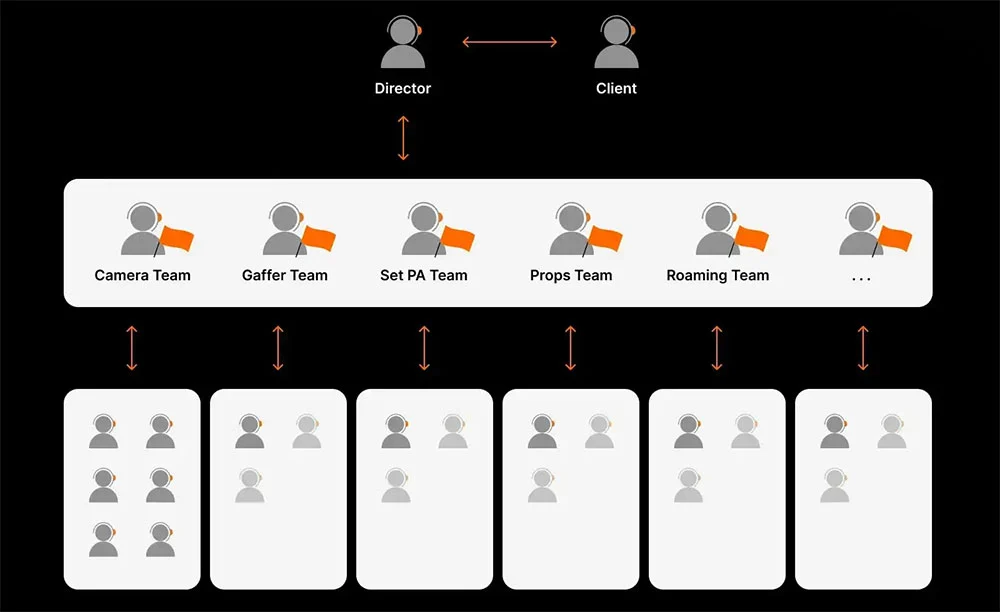
A more scalable approach is to organize communication around production roles.
| Communication Group | Typical Users | Main Communication |
|---|---|---|
| Camera | Camera operators, camera lead | Framing, positioning, shot changes |
| Audio | A1, A2, audio assistants | Audio cues and troubleshooting |
| Lighting | Lighting director, technicians | Lighting cues and adjustments |
| Stage | Stage manager, floor crew | Talent movement and stage timing |
| Technical | Technical director, support | Production systems |
| Production | Director, AD, producer | Overall coordination |
This is where the grouping capability of WiTalk Base becomes useful in practice.
WiTalk Base supports up to 8 independent talk groups, so a production could assign Camera, Audio, Lighting, Stage, Technical, and Production crews to separate groups instead of putting all departments into the same conversation.
A camera operator, for example, can remain focused on camera-related communication, while a director or other team leader maintains access to the groups needed to coordinate the wider production.
Users can listen to two groups and switch which group they speak to using the A/B control on compatible WiTalk headsets. For example, a stage manager could monitor both Stage and Production communication, then switch the active speaking group depending on who needs the message.
The exact group structure should reflect the production rather than follow a fixed template. A concert, film set, sports broadcast, theater production, and corporate event may all organize communication differently.
The important principle is simple: create groups around communication relationships, not just job titles.
Step 3: Plan Coverage and Base Station Placement
After determining users and groups, map where those users will actually work. Depending on the production, important areas might include:
- Main stage or set
- Backstage
- Camera positions
- Front of house
- Control room
- Technical areas
- Equipment areas
- Corridors or transition zones
Then map how crew members move between them. For example, a stage manager may start backstage, move onto the main stage, and return backstage throughout the show. A roaming camera operator may move through several areas of the venue, while a producer may regularly travel between the production area and front of house.
These movement routes matter just as much as the distance between fixed positions.
Do Not Plan Coverage Around Maximum Range Alone
WiTalk Base operates on 1.9 GHz DECT and provides a headset-to-base range of up to 700 meters under suitable conditions.
However, maximum range should be treated as a planning reference rather than a guarantee for every venue.
Real-world coverage can be affected by:
- Walls and floors
- Metal structures
- Audience density
- Antenna placement
- Venue layout
- Other RF equipment
Large productions may also contain wireless microphones, in-ear monitors, Wi-Fi networks, video transmitters, and other wireless systems.
Base station placement matters as well. For optimal performance, Saramonic recommends positioning WiTalk Base at least 1.7 meters (5.6 feet) above the ground. During setup, walk the actual production routes instead of testing communication from only one static position.
For more on how operating frequency relates to wireless intercom performance, see DECT vs 2.4GHz: Which Is Better for Wireless Intercom Systems?.
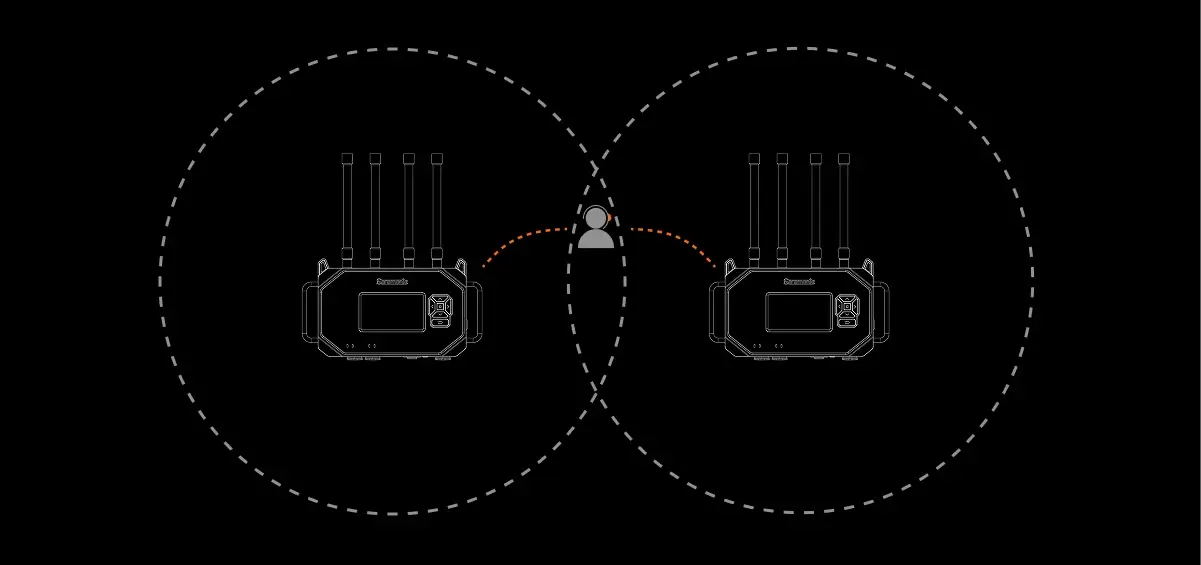
Use Multiple Bases When the Production Has Multiple Coverage Zones
Some venues are better treated as several practical communication zones rather than one large space.
For example:
- Base A: Main Stage + Camera Area
- Base B: Backstage + Production Area
- Base C: Front of House
With WiTalk Base, compatible headsets can roam between base stations and automatically connect to the stronger base signal without requiring the crew member to manually reconnect.
Consider the stage manager from the earlier example. They may begin backstage under the coverage of Base B, walk onto the main stage covered by Base A, and continue communicating as they move between the two production zones.
Multiple bases can therefore address two different scaling requirements at the same time: more users and more coverage.
For deployments where base stations need to be positioned farther apart, fiber connectivity through media converters can extend the wired connection between bases over longer distances.
Step 4: Connect the Intercom to Your Existing Production Workflow
A new wireless intercom system does not always need to replace the communication infrastructure already in use.
Broadcast studios, theaters, rental houses, and established production companies may already have wired intercom systems that remain part of their normal workflow.
In these environments, ask: What existing equipment needs to communicate with the new wireless system?
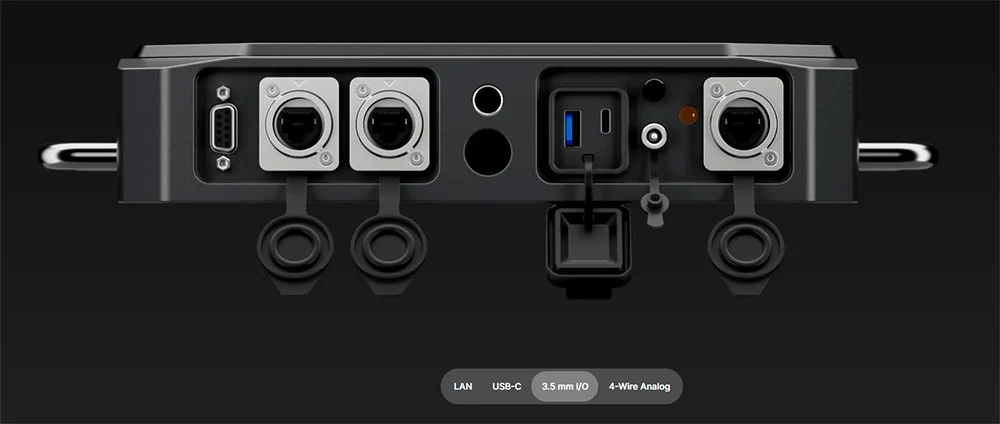
WiTalk Base provides a 4-wire analog interface for integration with compatible professional intercom systems.
For example, an existing wired control-room intercom could remain in place while WiTalk Base extends communication to wireless camera operators, stage personnel, or other mobile crew members.
WiTalk Base also supports USB Audio Class (UAC) through USB-C, allowing a connected computer to become part of the communication workflow.
This opens another practical scenario: remote production.
Suppose the main production crew is working on-site while a producer, technical specialist, or client needs to participate remotely. A computer connected to WiTalk Base can bring communication from platforms such as Zoom or Microsoft Teams into the workflow rather than forcing the remote participant and on-site crew to operate on completely separate communication systems.
The goal is not to replace existing infrastructure, but to connect wired, wireless, and remote participants within the same production communication workflow.
Step 5: Manage and Test the Complete System Before Going Live
Once users, groups, coverage, and integrations are configured, the final step is to verify that the system works as intended under realistic production conditions.
This becomes increasingly important as the number of headsets and groups grows.
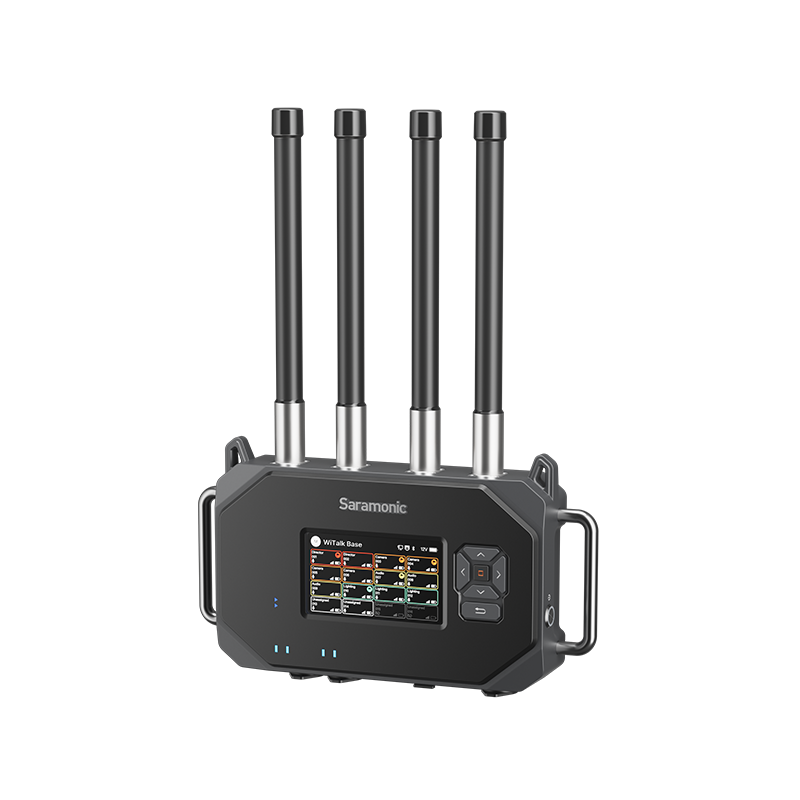
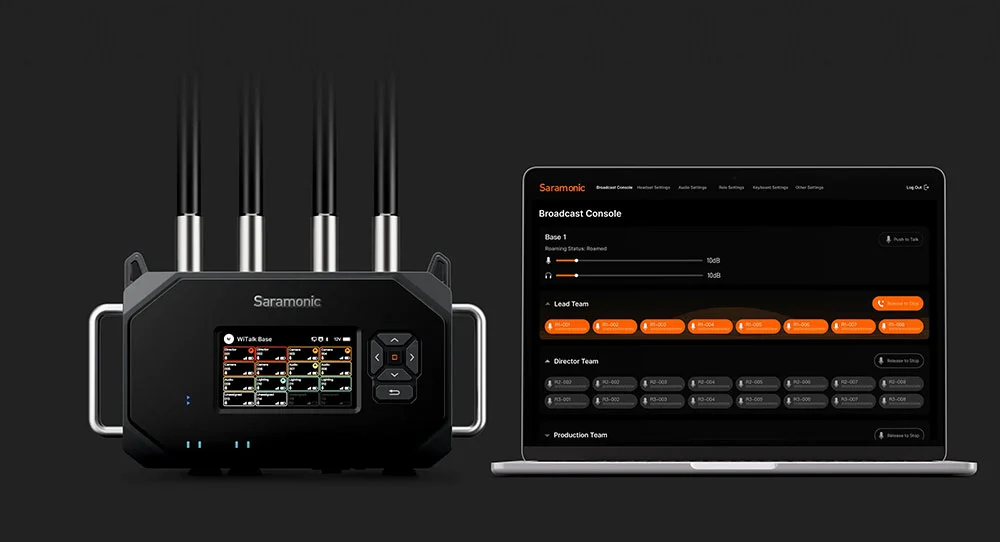
WiTalk Base provides centralized management through its 5-inch color display, as well as Web, mobile App, and PC-based control.
Before the production starts, the communication team can use these management interfaces to check group assignments, headset status, battery levels, and signal strength.
This makes it easier to identify problems before crew members move into their final positions.
For example:
- Is a camera operator assigned to the correct group?
- Can the director communicate with the departments they need?
- Does a headset show weak signal in a particular working position?
- Does a roaming user remain connected while moving between Base A and Base B?
- Are batteries ready for the expected production duration?
Then perform a real walk test.
Crew members should move through their actual working routes while communicating. Test fixed camera positions, backstage areas, stage entrances, control rooms, corridors, and any other locations that will matter once the production begins.
Communication should also be tested under representative noise conditions.
If crew members remain connected but speech becomes difficult to understand beside a loud stage, PA system, machinery, or crowd, treat that as an audio-clarity problem rather than automatically assuming there is a wireless coverage issue.
Our guide to How to Improve Intercom Clarity on Loud Sets explains how to distinguish microphone, headset, noise, and wireless-link problems.
| Check | What to Confirm |
|---|---|
| Users | Every required crew member has a working headset |
| Groups | Each user is assigned to the correct communication groups |
| Leaders | Directors and team leaders can reach the departments they need |
| Coverage | Fixed positions and movement routes remain connected |
| Roaming | Headsets transition correctly between base coverage zones |
| Audio | Important instructions remain intelligible in working conditions |
| Integration | Wired intercom and remote connections work as expected |
| Power | Headset and base-station power is ready for the production duration |
What Does This Look Like in a Real Production?
These planning principles are not limited to hypothetical production setups. In large live productions, centralized intercom management, reliable wireless coverage, and clear crew communication need to work together under real operating conditions.
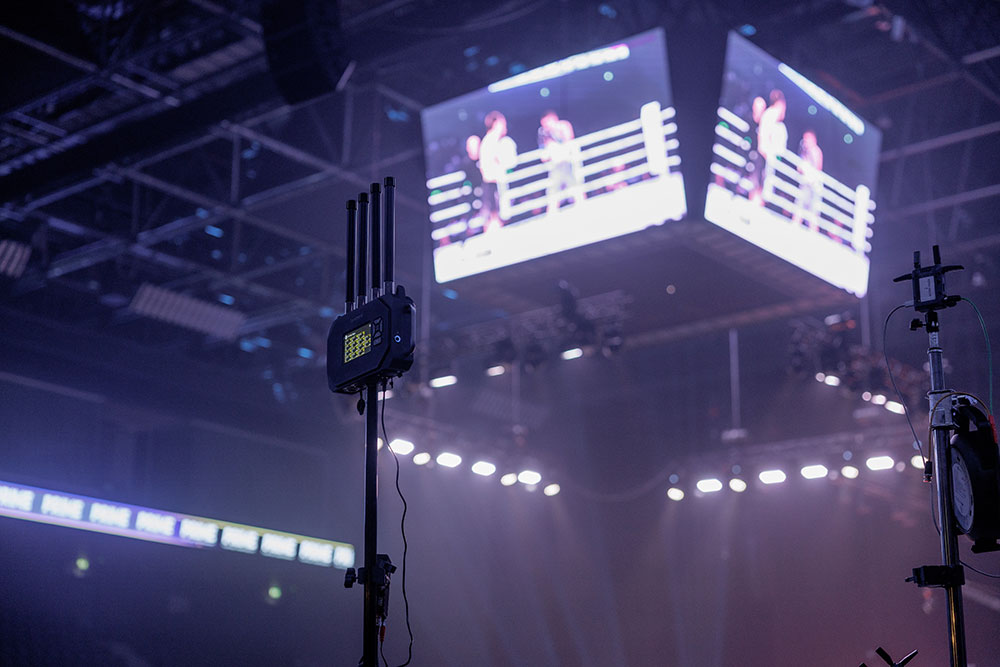
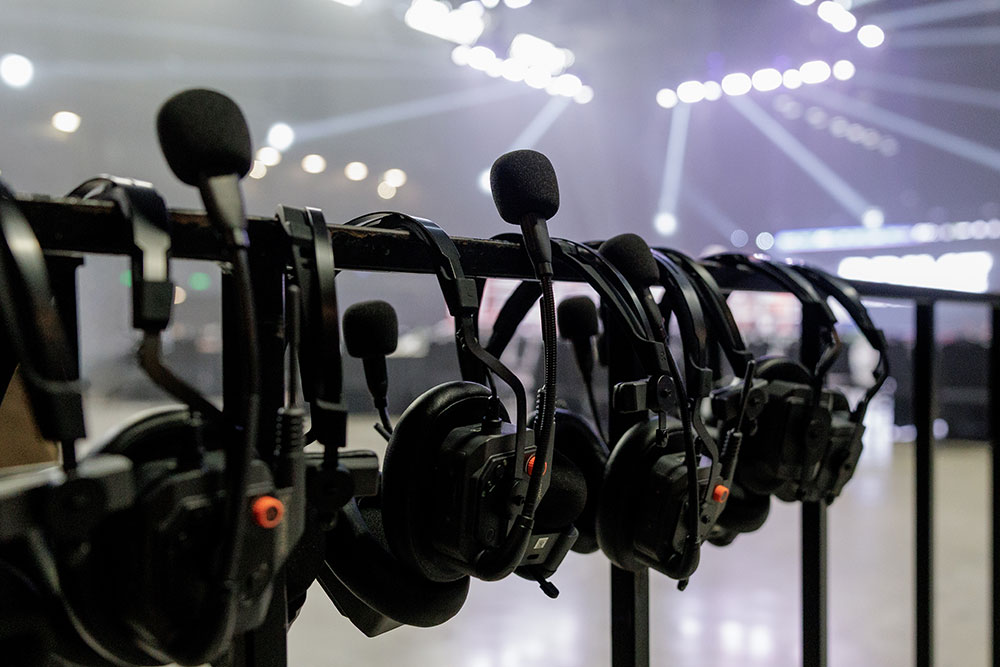
A real-world example comes from Prime Fighting Championships (K1), where the production team deployed Saramonic WiTalk9 X headsets together with WiTalk Base during a live combat-sports production.
The environment required directors, camera operators, and technical crew to coordinate in a large venue with crowd noise and multiple wireless systems.
WiTalk9 X served as the crew-facing wireless headset system, while WiTalk Base acted as the centralized hub for expanding and organizing communication across the production team.
Read the complete case study: How Saramonic WiTalk9 X Improved Communication at Prime Fighting Championships.
Conclusion
A reliable intercom system for a large production starts with the workflow, not the number of headsets. Identify who needs real-time communication, organize those users into practical talk groups, map their working areas and movement routes, and then determine the capacity, coverage, and integration the system needs.
For larger crews, Saramonic WiTalk Base provides a centralized way to put that plan into practice, bringing user expansion, role-based communication, multi-zone coverage, system management, and existing production infrastructure into one scalable intercom workflow.
Most importantly, test the complete setup in the actual production environment before going live. A system that works well in the control room still needs to perform reliably at camera positions, backstage, on stage, and along crew movement routes. By planning around users, groups, coverage, integration, and testing, you can build an intercom system that remains manageable as the production grows.
Frequently Asked Questions
How many people can use one Saramonic WiTalk Base?
One WiTalk Base supports up to 16 full-duplex wireless headsets. Linking up to four base stations can expand the system to as many as 64 wireless users for larger production teams.
How should you organize intercom groups for a production crew?
Groups should follow actual communication needs. A larger production might separate Camera, Audio, Lighting, Stage, Technical, and Production teams while allowing directors or other leaders to access the groups they need to coordinate.
What happens when a crew member moves between WiTalk Base coverage zones?
In a multi-base deployment, compatible headsets can automatically roam to the stronger base signal as crew members move between coverage zones, without requiring manual reconnection.
Can WiTalk Base work with an existing professional intercom system?
WiTalk Base provides a 4-wire analog interface for integration with compatible third-party professional intercom systems. It also supports USB Audio Class through USB-C for computer-based communication workflows.
Can remote production members join a WiTalk Base intercom workflow?
WiTalk Base can connect to a computer through USB-C and support computer-based communication workflows. This allows platforms such as Zoom or Microsoft Teams to be incorporated when remote production members need to communicate with the on-site team.
Should you rely on the maximum intercom range when planning a production?
No. WiTalk Base provides up to 700 meters of headset-to-base range under suitable conditions, but actual performance depends on the venue, obstacles, antenna placement, RF interference, and other environmental factors. Test the actual working positions and movement routes before production.